Dashboard guides · Easy mode
The weather, made easy
Easy mode shows only the essentials, in very large text, and reads it to you aloud. It is designed for older people or for anyone who wants to keep it simple: open it, look and you're done.
Before you start
- 1Open easy mode. Go to atlasmeteo.es/facil. You can also get there from the simple view with the «👓 Easy mode: large text and read aloud» button.
Open easy mode - 2Choose your town. The first time, it asks you for the place: press «🧭 Use my location» or type the name of the town or city and press «Search». To change it later, «📍 Change place».
- 3If you prefer, listen to it. The «🔊 Listen» button reads everything aloud with your phone's or computer's voice. Press it again to stop it.
Is there a warning?
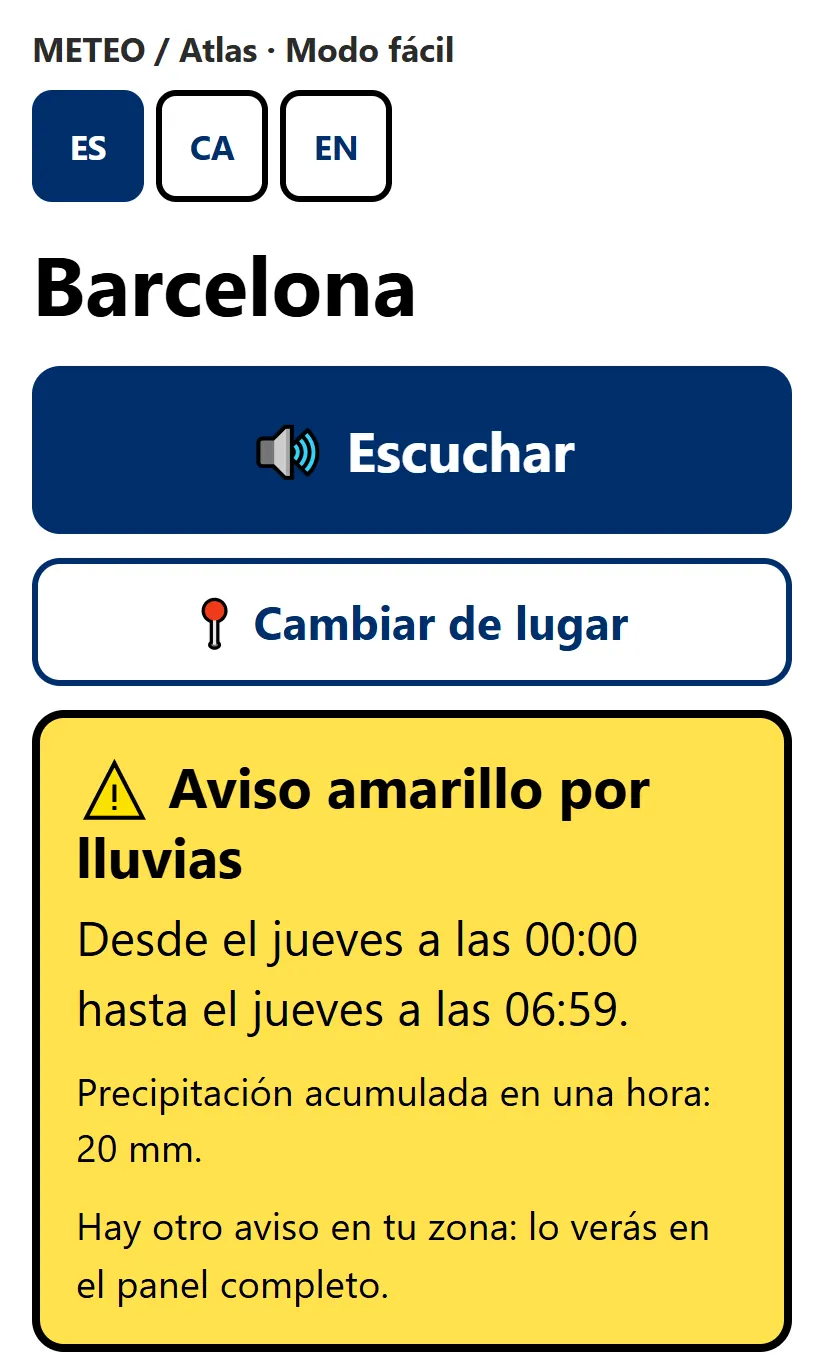
- 1Look right at the top. If there is an official AEMET warning in your area, it comes first, in a box the colour of the warning: yellow, orange or red. It says what it is for (rain, wind, thunderstorms…), from when until when, and what AEMET expects.
- 2If there are none, it says so at the very bottom: «✅ No official warnings in your area».
- 3If there is more than one, the box tells you («There is one more warning in your area»). To see them all, leave easy mode and look at them in the simple view.
Will it rain? When?
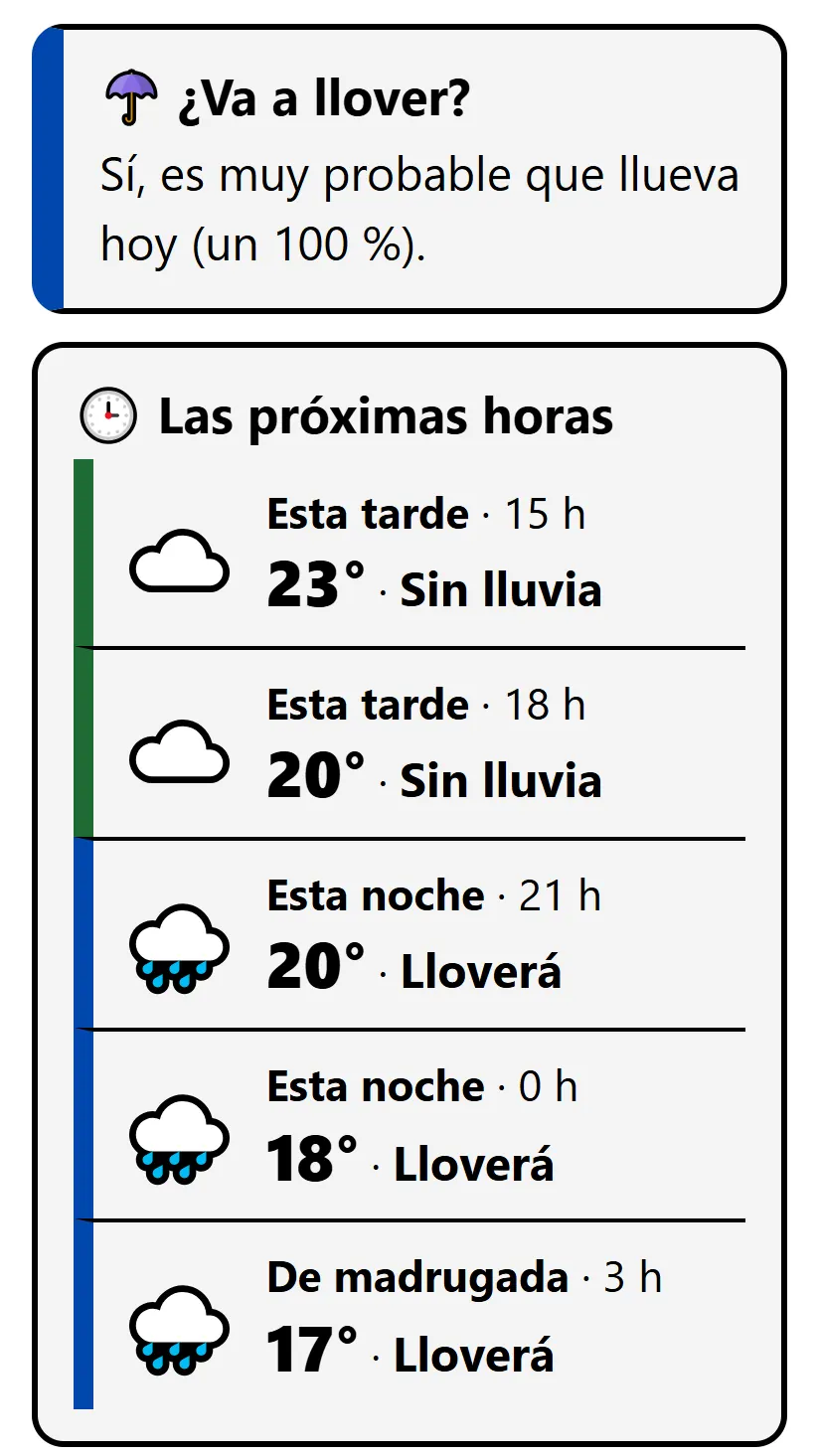
- 1Look for «☂️ Will it rain?». It answers you in one sentence: whether it is likely to rain today and how likely («100 %» is almost certain).
- 2Scroll down to «🕒 The next few hours». These are four or five moments (this afternoon, tonight, overnight…), each with its time, the temperature and whether it will rain. The line on the left turns blue when it rains and green when it doesn't.
- 3For tomorrow, the «Tomorrow» card says whether it will rain and how much (you will see it in the next section).
What will the weather be like tomorrow?
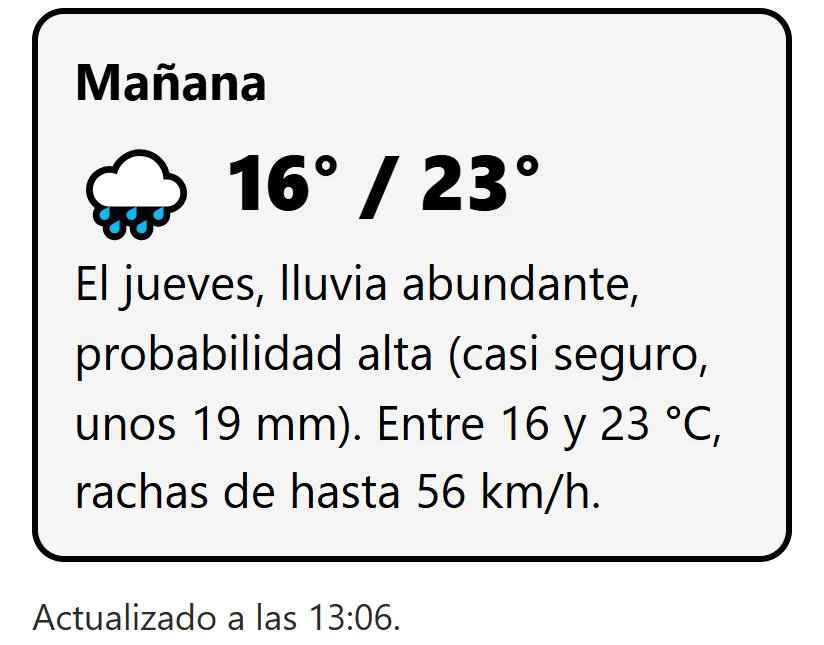
- 1Scroll down to «Tomorrow». You will see a picture of the sky and the day's lowest and highest temperatures.
- 2Read the sentence. It sums it all up: whether it will rain and how much (in litres per square metre, «mm»), whether it is almost certain or just possible, the temperatures and the wind gusts if they are going to be strong.
Will it be windy?
- 1Look at the «Tomorrow» sentence. If the wind is going to be strong, it gives the gusts: «gusts of up to 56 km/h». If it doesn't mention them, no troublesome wind is expected.
- 2To give you an idea: with gusts of 50 km/h it is already hard to hold an umbrella; from about 70, depending on the area, AEMET usually issues a warning. If there is one, it will appear right at the top.
How far can I trust it?
- 1Pay attention to the words. «Almost certain» or «high chance» mean that nearly all the calculations agree. «Possible» or «low chance» mean it may or may not happen.
- 2The further ahead, the less certain. This afternoon is easier to get right than tomorrow. Check again in the morning: it is updated several times a day (it says when at the bottom).
- 3If you want more detail, press «Leave easy mode». In the simple view each day has its «confidence». Note: easy mode is remembered, and the dashboard will bring you back here until you leave with that button.
More things you can do
- «⬇ Add to your phone's home screen»: it sits there like any other app, with its icon, so you can open it with one tap.
- «◐ Dark background»: light text on a black background, in case your eyes get tired.
- Change the language with the ES, CA and EN buttons at the top.
Want more? Read the simple view guide or go back to all the guides.
It is a forecast and it can be wrong. To make decisions, follow the warnings from AEMET, from Meteocat in Catalonia and from Civil Protection.